





Rate Us:
★ ★ ★ ★ ★
Flexible Access. Secure Systems. Real Oversight.

Cloud Services in Indiana

Cloud services for business give your team access to email, files, applications, and backups through hosted systems. Covergent Technologies plans migrations, manages Microsoft 365, and supports cloud backup and hybrid setups for Indiana businesses from our Terre Haute base.

What Are Cloud Services?

Cloud services allow your business to access systems, data, and tools securely from different locations.

Our cloud services for business combine storage, backups, application hosting, and secure remote access into one organized strategy.

Supporting visual for cloud services for businesses
Instead of managing everything on aging onsite hardware, you get:
If your servers feel outdated, your backups feel uncertain, or your team struggles with remote access, we can help you plan what needs to change.

What’s Included in
Our Cloud Services Program

Supporting visual for cloud services for businesses

We provide practical cloud-based IT solutions for organizations across Indiana.

Cloud Migration

We plan and organize your move to limit disruption. That includes reviewing current systems, setting a timeline, and planning backups and the steps for the move.

Cloud Backup and Recovery

We plan cloud-based backups around the information your business needs to restore. Two questions guide recovery planning: how long can a system be unavailable, and how much recent work could you afford to lose? Recovery time is how long it takes to restore access. A recovery point describes how recent the restored data needs to be. The targets depend on your systems and backup solution, so we discuss them when planning protection.

Microsoft 365 Management

Our Microsoft 365 managed services cover configuration and ongoing management for email, collaboration, and file sharing. We review how your team uses those tools and help keep the setup working around their daily needs.

Hybrid Environments

Hybrid cloud solutions combine cloud services with infrastructure you keep onsite. We review your applications, access needs, and local systems together, then plan how those parts will work alongside each other.

Ongoing Oversight

We continue managing and supporting cloud systems after the move. That work connects with your managed IT services, so cloud support stays part of everyday IT care.

Covergent Technologies logo

Who Benefits Most From Cloud Services?

Our cloud services for business are ideal for:

Cloud access can also work alongside cloud phone systems when your team needs business calling away from the office.

Supporting visual for cloud services for businesses

The Difference Between Traditional IT and Cloud-Enabled IT

Drag the table to the left to see all.

Traditional onsite IT

Cloud-enabled IT

Physical servers require local maintenance

Hosted systems can reduce reliance on onsite servers

Remote access depends on the local setup

Cloud services support access across locations

Backup processes may need separate management

Cloud backup and recovery can be managed together

Hardware replacement drives investment decisions

Planning considers subscriptions, support, and remaining equipment

Expansion may require new equipment

Cloud services can scale with business needs

The right setup depends on your applications, access needs, and the systems that still need to stay onsite.

Cloud services for businesses graphic

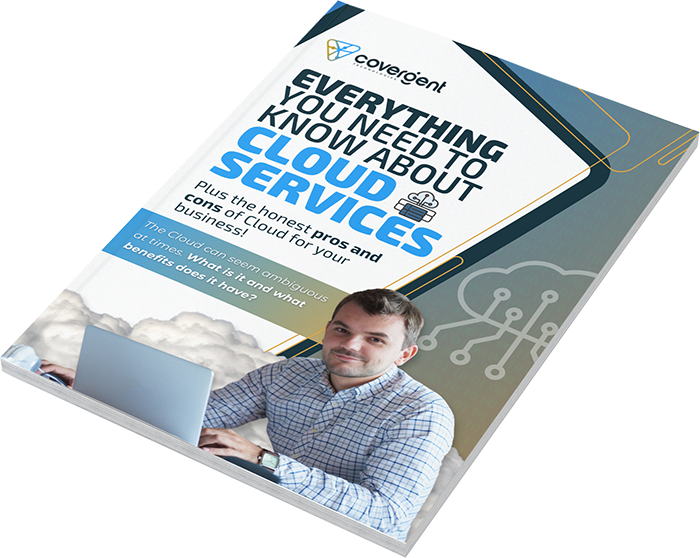
Everything You Need to Know About Cloud Services

This free eBook explains cloud services, how they compare with onsite servers, and the pros and cons businesses should consider. It also covers the factors behind a cloud decision and what the migration process involves.

Managed Cloud Services: What We Handle After the Move

Managed cloud services provide ongoing management and support for the cloud systems your team uses. The work continues after migration, with help for Microsoft 365, cloud backup and recovery, and the connections between cloud services and onsite systems.

We keep the setup connected with your wider IT plan as people, applications, and access needs change. Our cloud security support addresses access, authentication, and stored information alongside the rest of your protection.

You have a team to work with after the initial move, with ongoing support for the systems your people depend on.

Cloud, Onsite, or Hybrid: How to Decide

Start with how your team works and which systems your business needs to keep available. We review:
Supporting visual for cloud services for businesses

Applications

Which systems can move and which need local infrastructure?

Remote access

Where do people work, and what do they need to reach?

Security and recovery

What information needs protection, and what would recovery involve?

Cost

How do migration, subscriptions, support, and remaining equipment fit the budget?

Connectivity

Can the internet connections at each location support the planned setup?

A hybrid approach can keep essential local systems in place while adding cloud services where they fit. Our IT support by industry helps connect that decision with the way your organization operates.

What Makes Our Cloud Services Different?

Supporting visual for cloud services for businesses

Local Accountability

We serve Indiana businesses directly and remain accessible.

Integrated Strategy

We connect cloud services with your cybersecurity and infrastructure planning.

Security First

We address access, authentication, and stored data as part of the cloud setup.

Clear Communication

We explain options and costs without technical overload.

What Do Cloud Services Cost?

We review your current setup and the move you want to make before recommending a plan. Costs depend on:
Supporting visual for cloud services for businesses
We look at the move and continuing support together, so you can see the setup costs and monthly service involved.

Our Onboarding Process

Step 1 – Cloud Assessment

We review your current infrastructure and identify where cloud services can help.

Step 2 – Migration Planning

We plan the timeline, backups, and changeover around critical applications and access needs. Some systems may need an interruption; we work through the timing before the move.

Step 3 – Deployment

We put migration and backup tools in place for the transition.

Step 4 – Ongoing Support

Management and assistance continue after the move.

What Our Clients Say 

Frequently Asked Questions

Do you have more questions?
Send us a message.

Question mark iconIs moving to the cloud risky?

Any move needs planning. We review systems, backups, and access needs before migration, then plan the transition to limit disruption. Some applications may need an interruption, so we discuss those needs before the changeover.

Yes. We support hybrid cloud solutions that combine local and cloud systems. We review your applications and access needs to identify what belongs in each part of the setup.

Yes. We configure and manage Microsoft 365 for email, collaboration, and file sharing. We review your current setup and the support your team needs.

Cloud backup and recovery planning starts with the information and systems you need to restore. Recovery depends on the backup solution and available recovery points. We discuss your recovery needs and restoration targets when planning your backups.

Cloud security requires attention to access, authentication, and stored data. We address those areas as part of the setup and ongoing management, connecting cloud protection with your wider cybersecurity support.

Call us or send a message today.

We’re ready when you are. 

Ready to Modernize Your IT?

If your current setup feels rigid, outdated, or difficult to manage, cloud services can simplify it.

Let’s talk about the systems your team needs to access, protect, or move.

What can we do better?

We love to hear from our clients, please let us know if there are any areas that you think we could improve upon.